-
This guide walks you through assigning employees to company seats (worksites) to define their official work location and manage multiple work sites.
Important Prerequisites
Before assigning an employee to a seat:
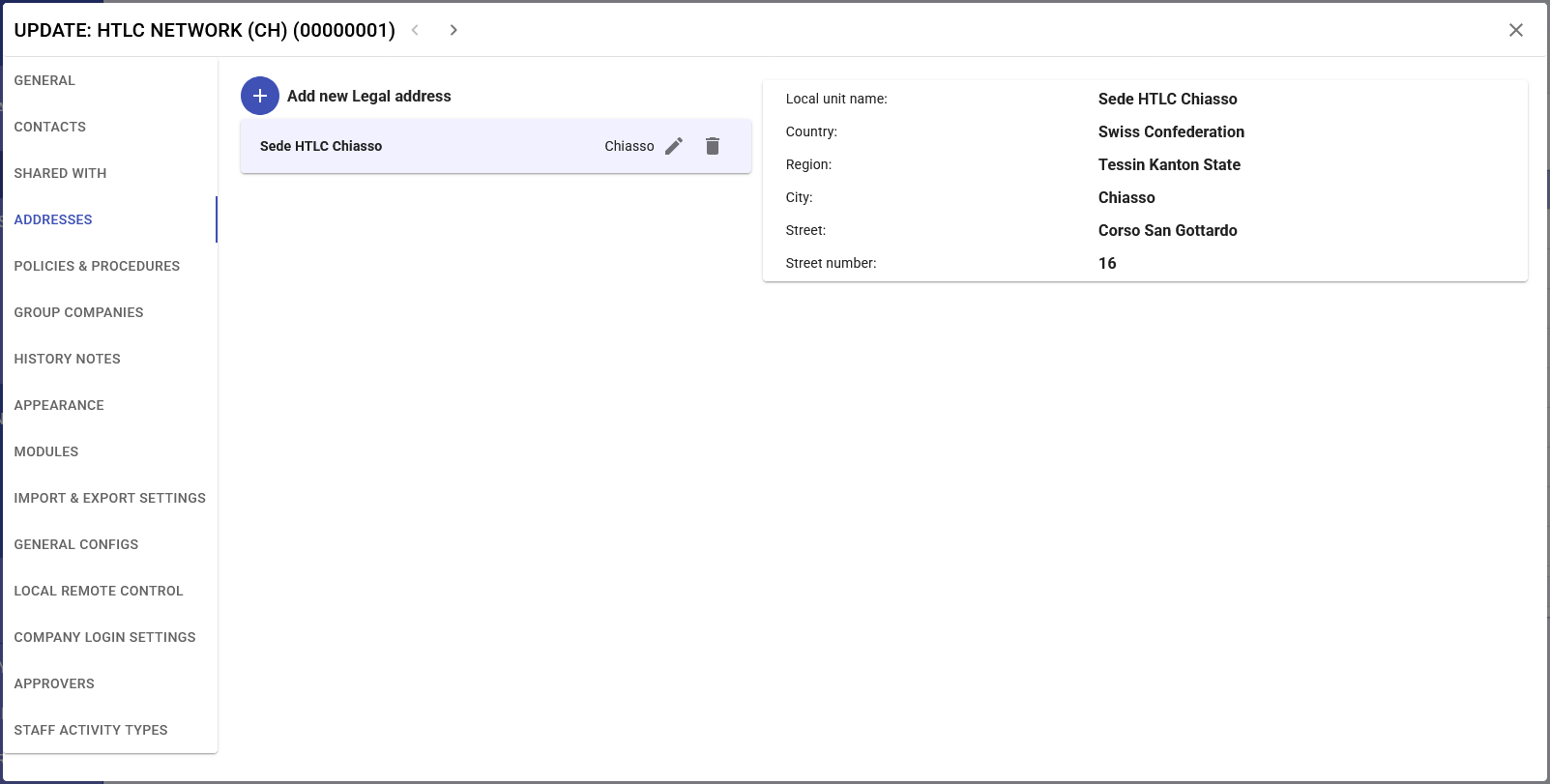
- Seats must be created in Organization → Companies → Addresses
- Employee must be registered in Organization → Individuals
- Employee must be associated with the correct company
- You must have permissions to modify employee data
Assignment Procedure
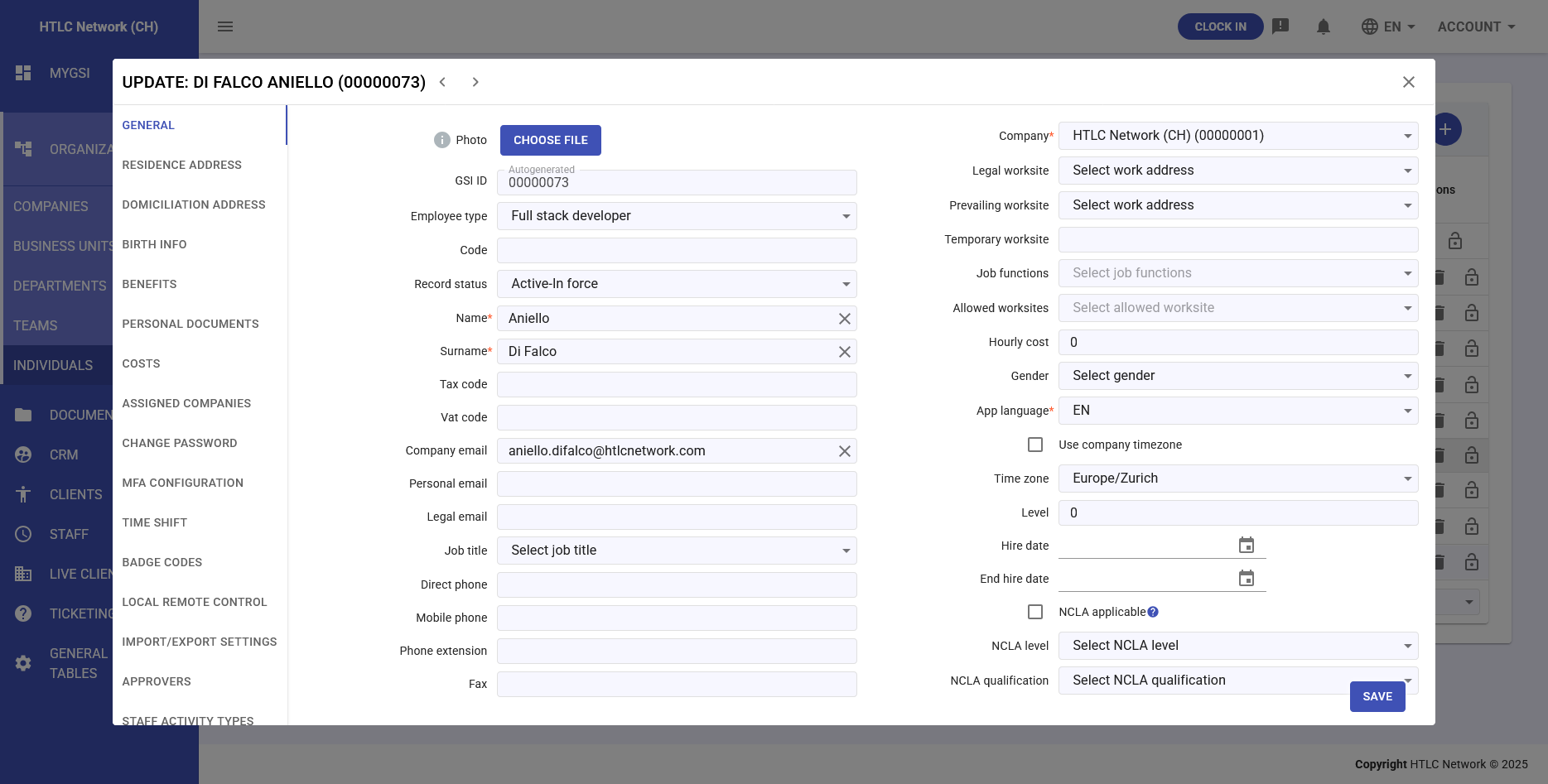
Step 1: Assign Legal Worksite (MANDATORY)
REMEMBER: This is the most important field for Staff module
- In the Legal Worksite field, click the dropdown menu
- Select the employee's main seat from the list
- Only seats created for the employee's company will appear
- PLEASE NOTE: this seat will appear in all reports and exports
Step 2: Assign Prevailing Worksite (Optional)
- If employee works mainly at a different location than legal seat
- In the Prevailing Worksite field, select appropriate seat
- Leave empty if same as legal seat
Step 3: Assign Temporary Worksite (Optional)
- Use only for temporary assignments
- In the Temporary Worksite field, select the seat
- Remember to remove when temporary assignment ends
Step 4: Select Allowed Worksites (Important if Workshift module is in use)
- In the Allowed Worksites field, enable multi-selection
- Select ALL seats where employee can work
- Always include at least the legal seat
- Add other seats as needed
Step 5: Save Changes
- Verify at least Legal Worksite is selected
- Click SAVE at bottom of page
- Wait for save confirmation