Esporta
-
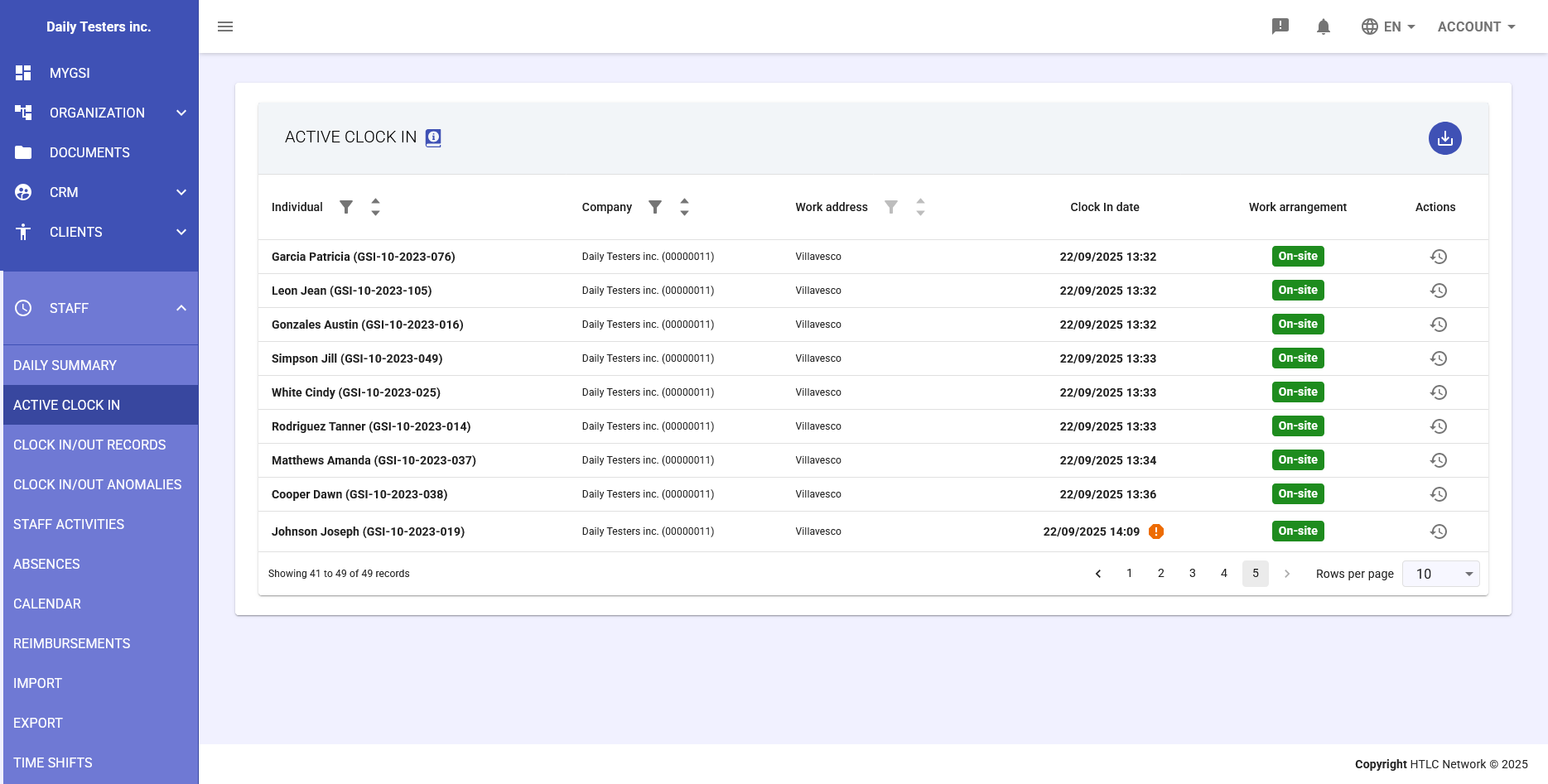
The Active Clock In module provides a real-time view of all employees currently present in the workplace. This essential workforce management tool enables HR managers and supervisors to monitor who is currently at work, manage active time registrations, and resolve any anomalies in attendance records.
Main Features
Viewing Active Presences
The main table displays a comprehensive list of all employees with an active clock-in registration. The displayed information includes:
- Individual: Employee's first and last name with GSI identification code
- Company: The employee's affiliated company
- Work address: Physical location where the employee is working
- Clock in date: Exact date and time of the clock-in entry
- Work arrangement: Indicates whether the employee is "On-site" or in another work mode
- Actions: Buttons to manage the active presence
-
Managing Clock Out Times
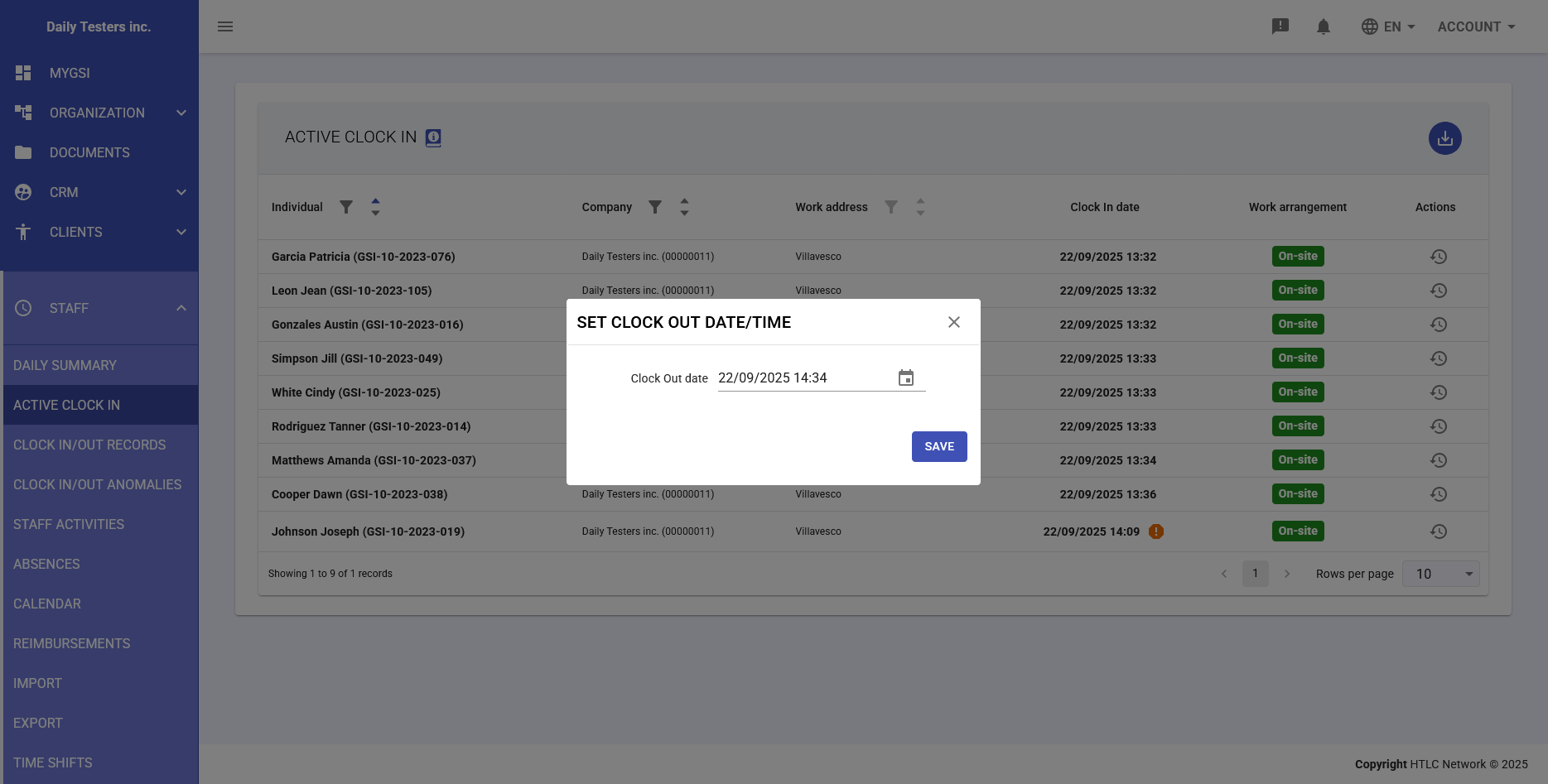
For each active presence, you can manually set the clock-out time by clicking the action button in the Actions column. This opens a dialog where:
- Clock Out date: Pre-filled with current date and time but can be modified
- Custom selection: Specific date and time can be selected via the calendar picker
- Immediate confirmation: The "SAVE" button immediately registers the clock-out time
-
Staff Activities Report
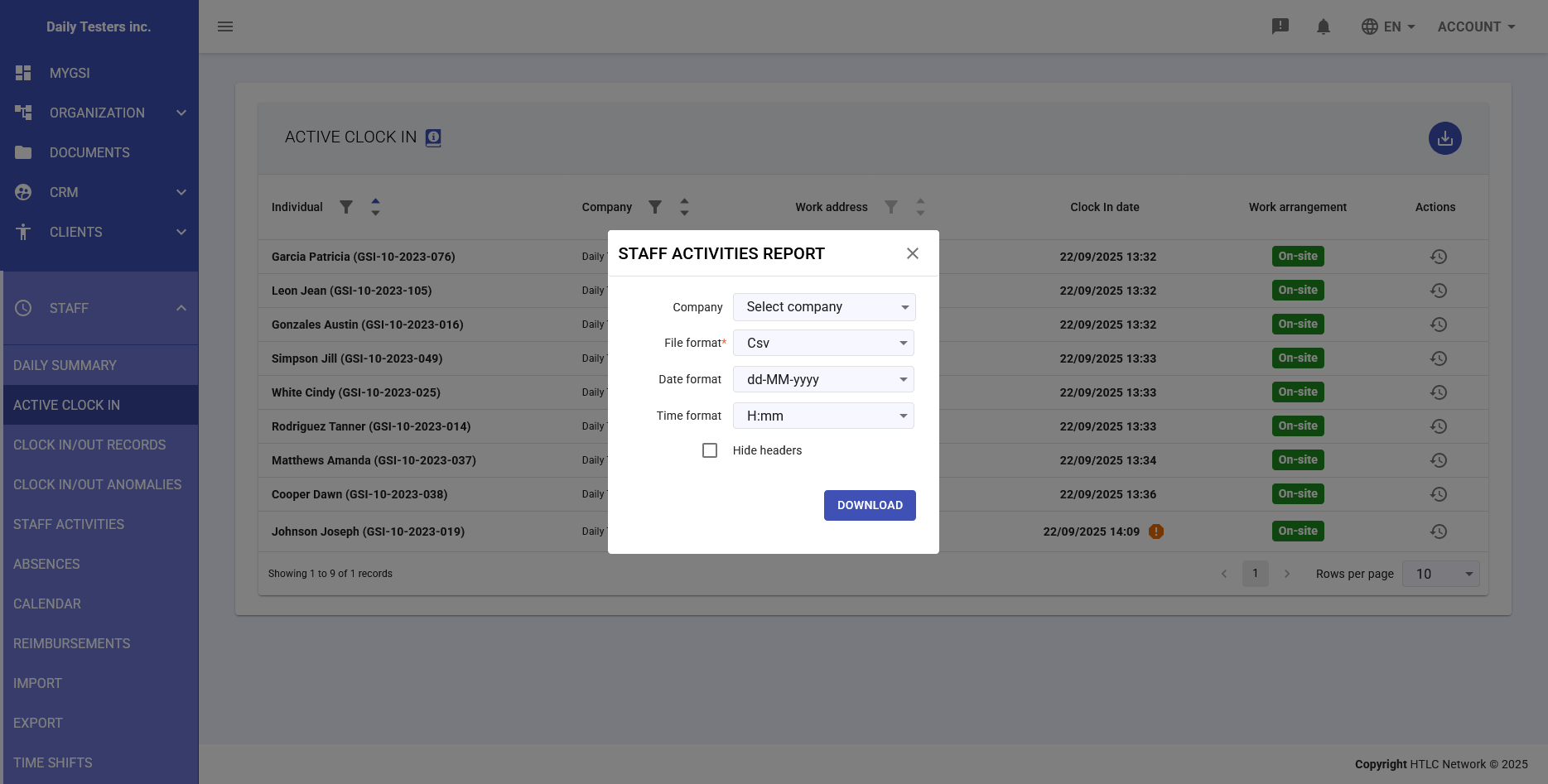
The system allows generating detailed reports of active presences through the download button. Export options include:
- Company selection: Filter by specific company or all companies
- Department: Filter by specific department or no filter
- File format: Export in CSV format for data processing
- Date format: Customization of date format (dd-MM-yyyy, yyyy-MM-dd, etc.)
- Time format: Choice between 12-hour (h:mm) or 24-hour (H:mm) format
- Hide headers: Option to hide headers in the exported file