-
Overview
The Departments section represents the second level of organizational hierarchy within GSI's Organization module, positioned between Business Units and Teams. It provides structured management of functional areas within larger organizational divisions.
Hierarchical Position
Departments operate within the four-tier organizational hierarchy:
- Business Units - Large organizational divisions
- Departments (Current level) - Functional areas within business units
- Teams - Working groups within departments
- Individuals - Actual company personnel
Interface Components
Main Interface
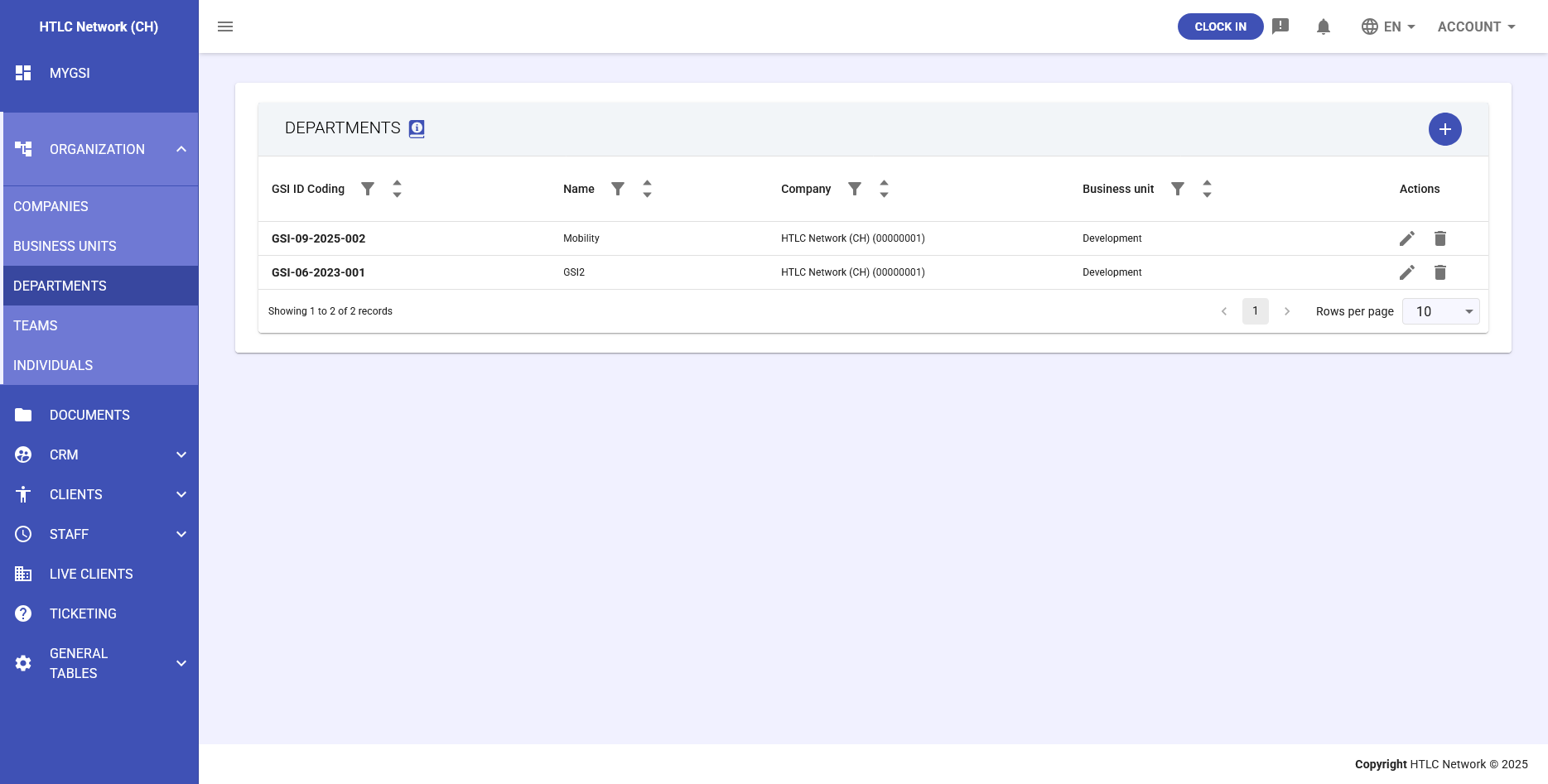
The Departments interface displays:
- GSI ID - System-generated unique identifier
- Name - Department designation (e.g., "Marketing", "Finance", "Operations")
- Business Unit - Parent business unit association
- Company - Associated organization
- Actions - Edit and delete options
Department Creation
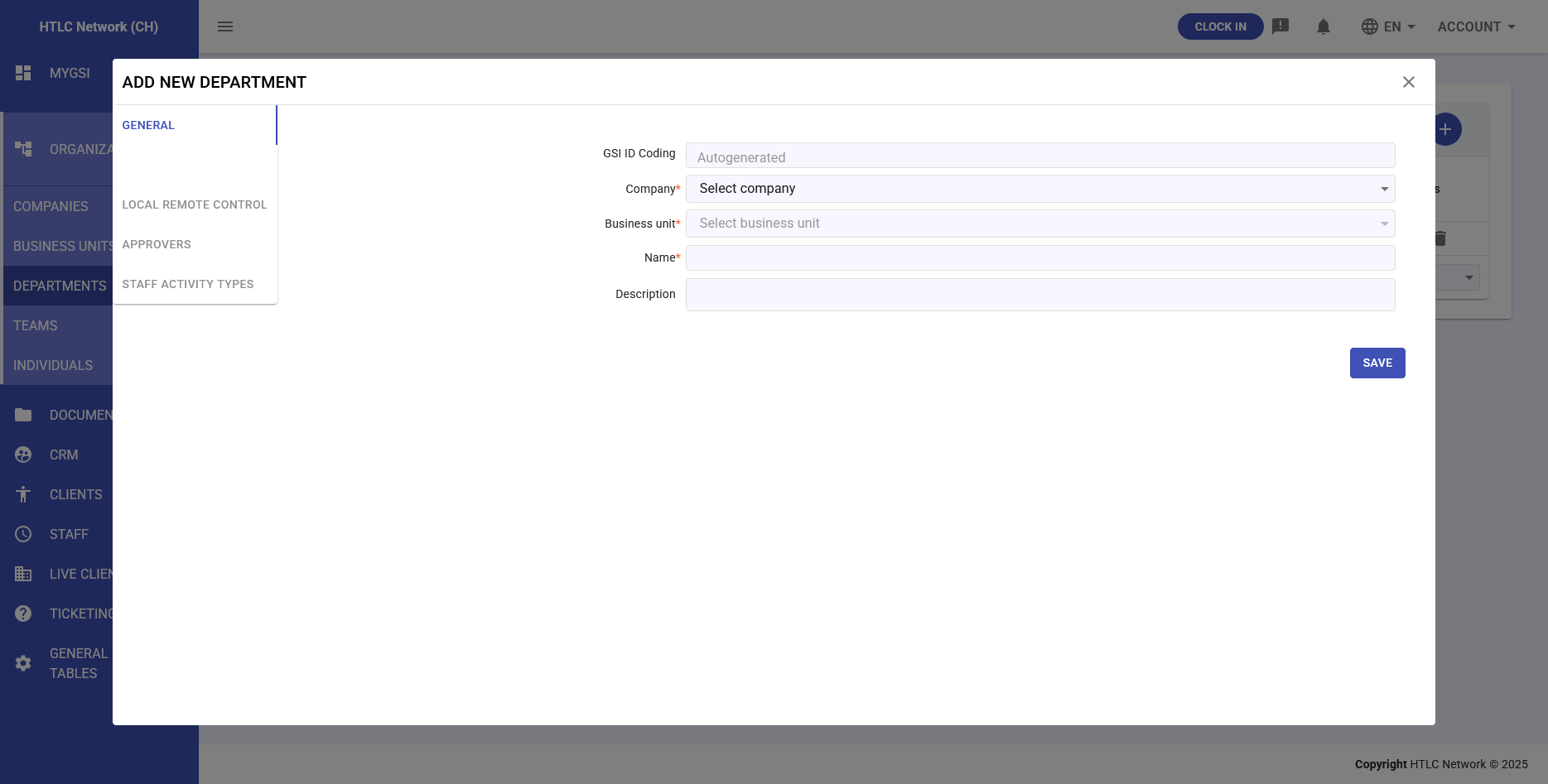
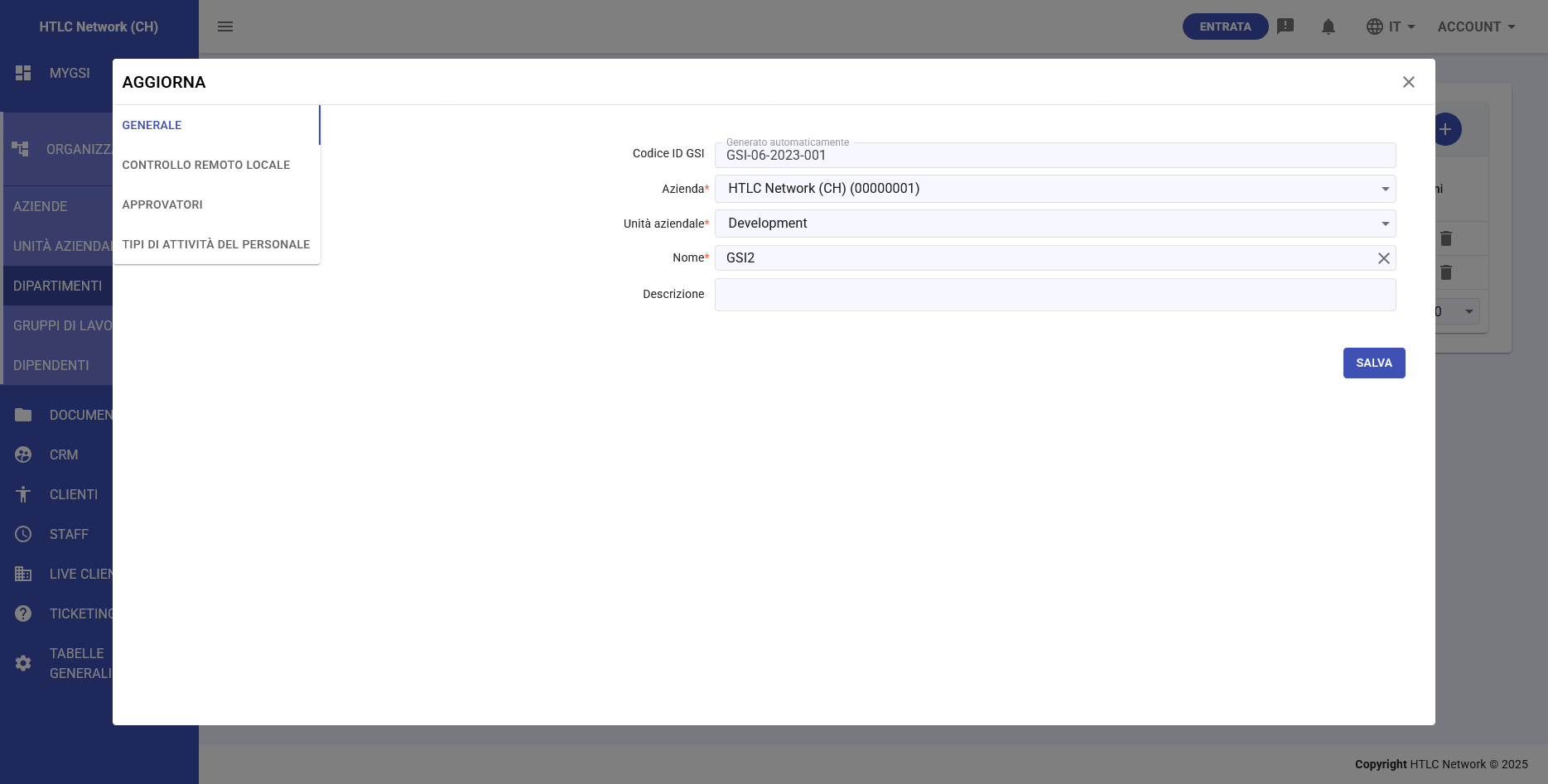
Creating a new department requires:
- Business Unit Selection: Choose parent business unit
- Department Name: Clear functional designation
- Description: Purpose and responsibilities
Key Features
Approver Assignment
At the department level, organizations can define Approvers who:
- Gain approval authority for all individuals hierarchically below them
- Receive workflow notifications for their department's activities
- Can approve time sheets, expenses, and absences
- Manage department-wide policies and exceptions
Functional Organization
Departments serve as functional groupings for:
- Team Coordination: Organizing related teams under common management
- Resource Allocation: Managing budget and personnel distribution
- Performance Management: Department-level metrics and KPIs
- Policy Implementation: Applying department-specific rules
Integration Points
Workflow Management
- Department approvers automatically receive requests from their teams
- Escalation paths follow departmental hierarchy
- Cross-department workflows supported through configuration
Staff Activities
- Activity types can be restricted by department
- Department-specific time tracking policies
- Consolidated department reporting
Administrative Benefits
- Middle Management Structure: Clear delegation of authority
- Scalable Approval Workflows: Automatic routing based on department
- Functional Separation: Distinct operational boundaries
- Reporting Consolidation: Department-level analytics
Configuration Best Practices
- Align departments with actual organizational functions
- Assign clear department approvers with defined authority
- Document department responsibilities and boundaries
- Regular review of department structure as organization evolves
Relationship with Other Levels
Upward to Business Units
- Departments must belong to a business unit
- Inherit certain policies from parent business unit
- Report metrics up to business unit level
Downward to Teams
- Departments contain multiple teams
- Provide organizational context for teams
- Department approvers have authority over all teams within
The Departments section enables precise organizational structuring while maintaining flexibility for various departmental models and management styles.