-
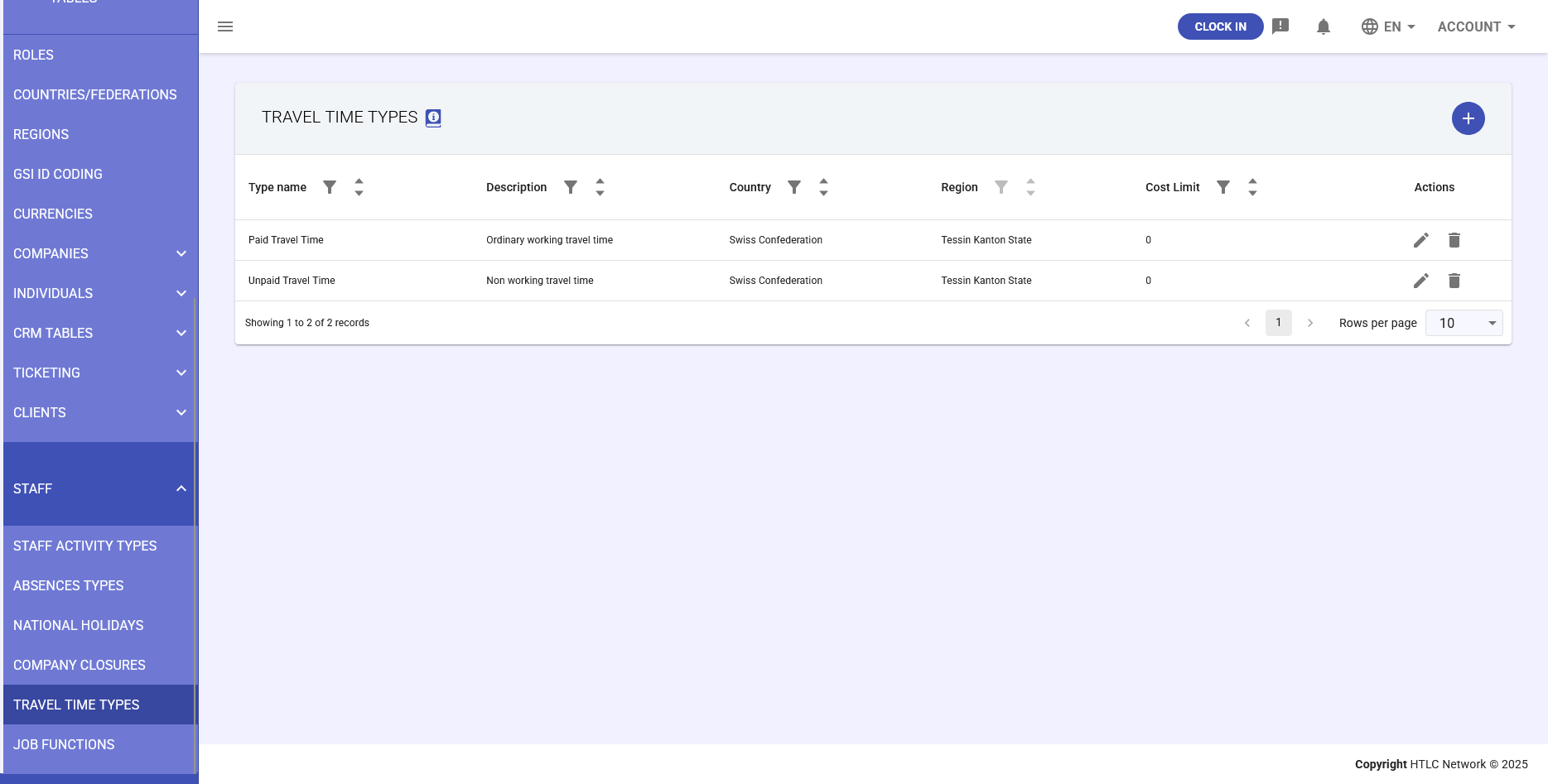
The Travel Time Types table manages classifications for employee travel time and associated costs. These classifications enable accurate tracking of travel expenses, compliance with regional labor laws, and proper compensation for work-related travel across different jurisdictions.
Purpose
Travel Time Types are used in the Staff module's reimbursements section to track and categorize different types of work-related travel, determining whether travel time is paid or unpaid, and setting cost limits where applicable.
Access Location
- Navigate to General Tables in the main menu
- Select Staff section
- Choose Travel Time Types
Table Structure
Field Description Required Type Name The name of the travel time type Yes Description Free text description of the travel time type Optional Country Country to which this type applies Yes Country Region Specific region or state (if applicable) Optional Cost Limit Maximum amount for this travel cost type Optional Common Travel Time Types
- Paid Travel Time: Ordinary working travel time, compensated as regular work hours
- Unpaid Travel Time: Non-working travel time, not compensated
- Business Travel: Travel for business purposes with specific reimbursement rules
- Commute Time: Regular travel between home and work location
- Client Site Travel: Travel to client locations
Creating a New Travel Time Type
- Click the Add New button
- Fill in the required fields:
- Type Name: Enter a descriptive name
- Description: Add detailed description
- Country: Select applicable country
- Optional fields:
- Country Region: Select specific region/state
- Cost Limit: Set maximum reimbursement amount
- Click Save to create the type
Regional Considerations
Example: Swiss Confederation
Region Type Cost Limit Tessin Kanton Paid Travel Time CHF 50/day Zurich Business Travel CHF 100/day Editing Travel Time Types
- Locate the travel time type in the table
- Click on the row to view details
- Click the Edit button
- Modify necessary fields
- Click Save to apply changes
Deleting Travel Time Types
WARNING: Ensure no active travel records use this type before deletion.
- Find the travel time type to delete
- Click the Delete button
- Confirm deletion when prompted
Cost Limit Management
Setting Cost Limits
- Define maximum reimbursable amounts
- Set limits per day, trip, or month
- Configure different limits by region
Cost Limit Enforcement
- System validates expenses against limits
- Alerts for exceeding limits
- Approval workflow for exceptions