-
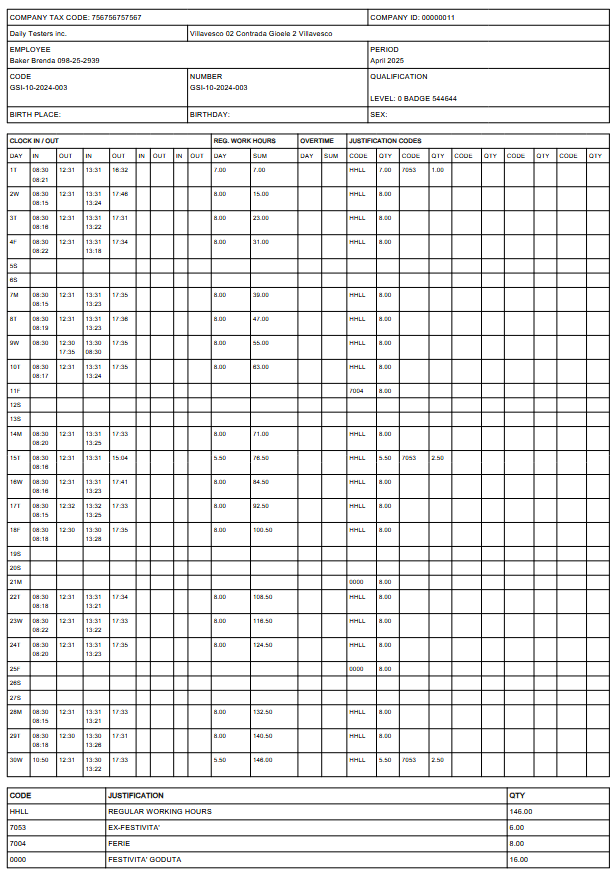
The Individual Monthly Report generates a PDF document containing the detailed monthly attendance summary. This report can be generated for the entire company, specific business units, or individual employees.
Access to Export Function
- Navigate to the STAFF section in the side menu
- Select EXPORT
- Choose INDIVIDUAL MONTHLY REPORT
Generation Procedure
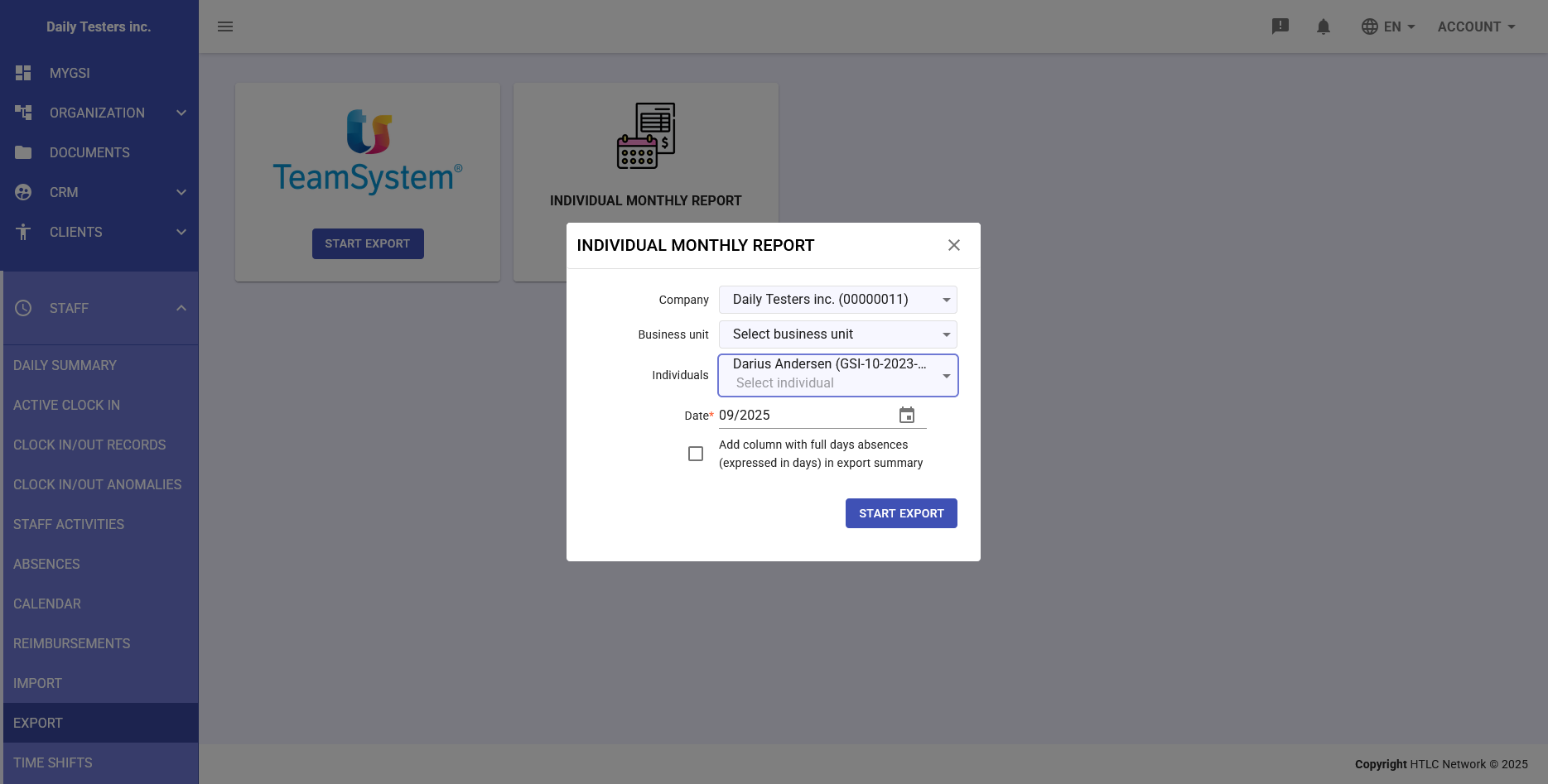
- From the main export screen, click on the INDIVIDUAL MONTHLY REPORT card
- Click the START EXPORT button below the report icon
- The "INDIVIDUAL MONTHLY REPORT" modal window will open
- Configure the export parameters:
- Company: Select the company or keep all selected
- Business unit: Select specific unit or all
- Individuals: Select "All options selected" for all employees or choose specific individuals
- Date: Set the reference month (MM/YYYY format)
- Optional: Check the "Add column with full days absences (expressed in days) in export summary" box to include absence details
- Click the START EXPORT button
PDF Report Content
The generated report includes:
- Header: Company data, employee and reference period
- Monthly calendar: Daily grid with clock in/out times
- Justification codes: Legend of codes used (PROL, F003, etc.)
- Hours summary:
- Regular working hours
- Overtime hours
- Vacation days used
- Leave and absences
- Totals: Sum of hours by category
Multiple Selection Options
The system allows great flexibility in report generation:
- Complete company report: Selecting all options generates a single PDF with all employees
- Business unit reports: Generates separate reports for each organizational unit
- Individual reports: Generates a separate PDF for each selected employee
Important Notes
Permissions and Access
- Access to export functions is limited to managers and HR administrators
- Exported data contains sensitive information and must be handled according to privacy regulations
Export Timing
- Monthly reports can be generated at any time for consultation
- It is advisable to wait for validation of all time stamps before final export