-
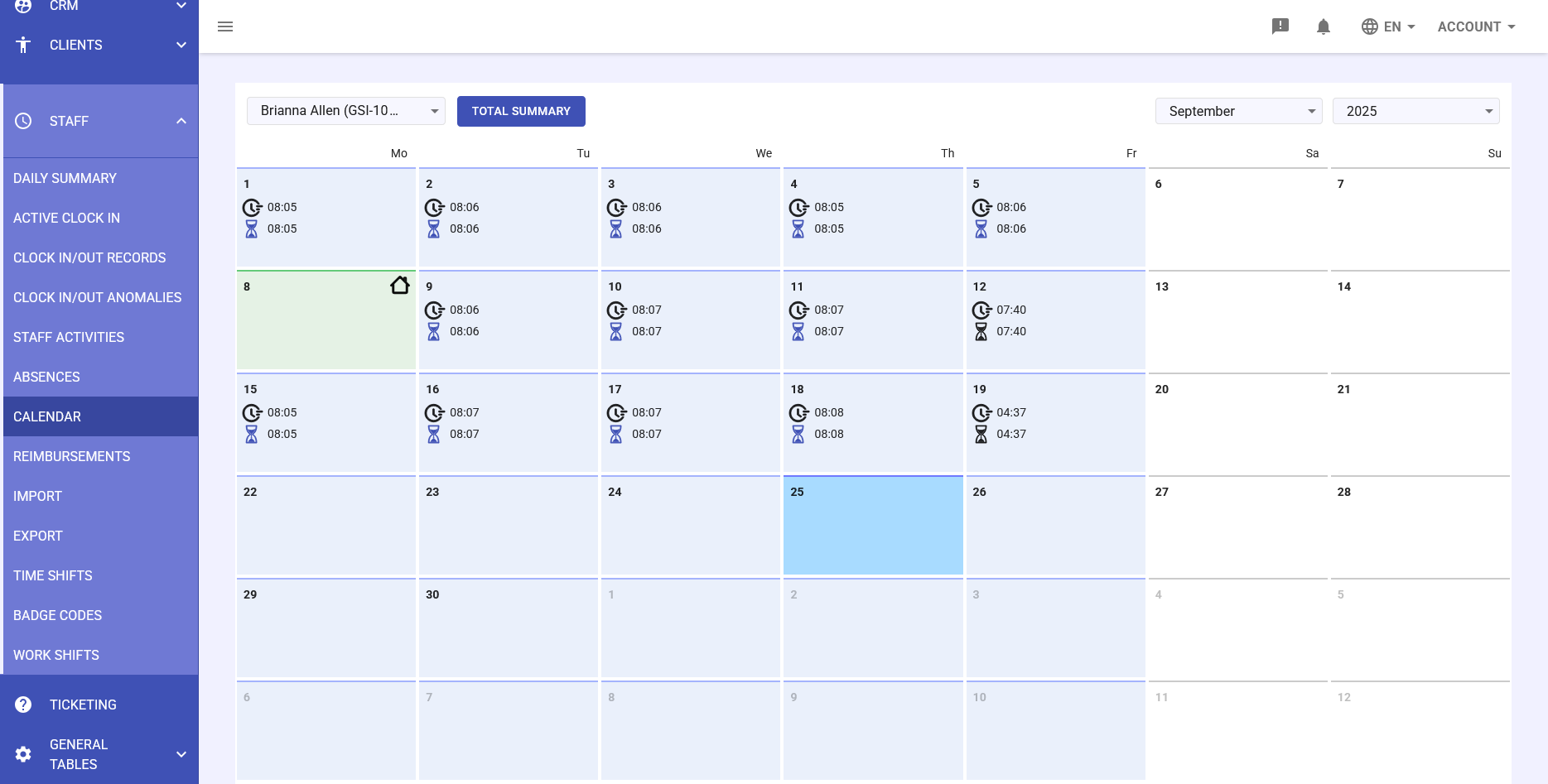
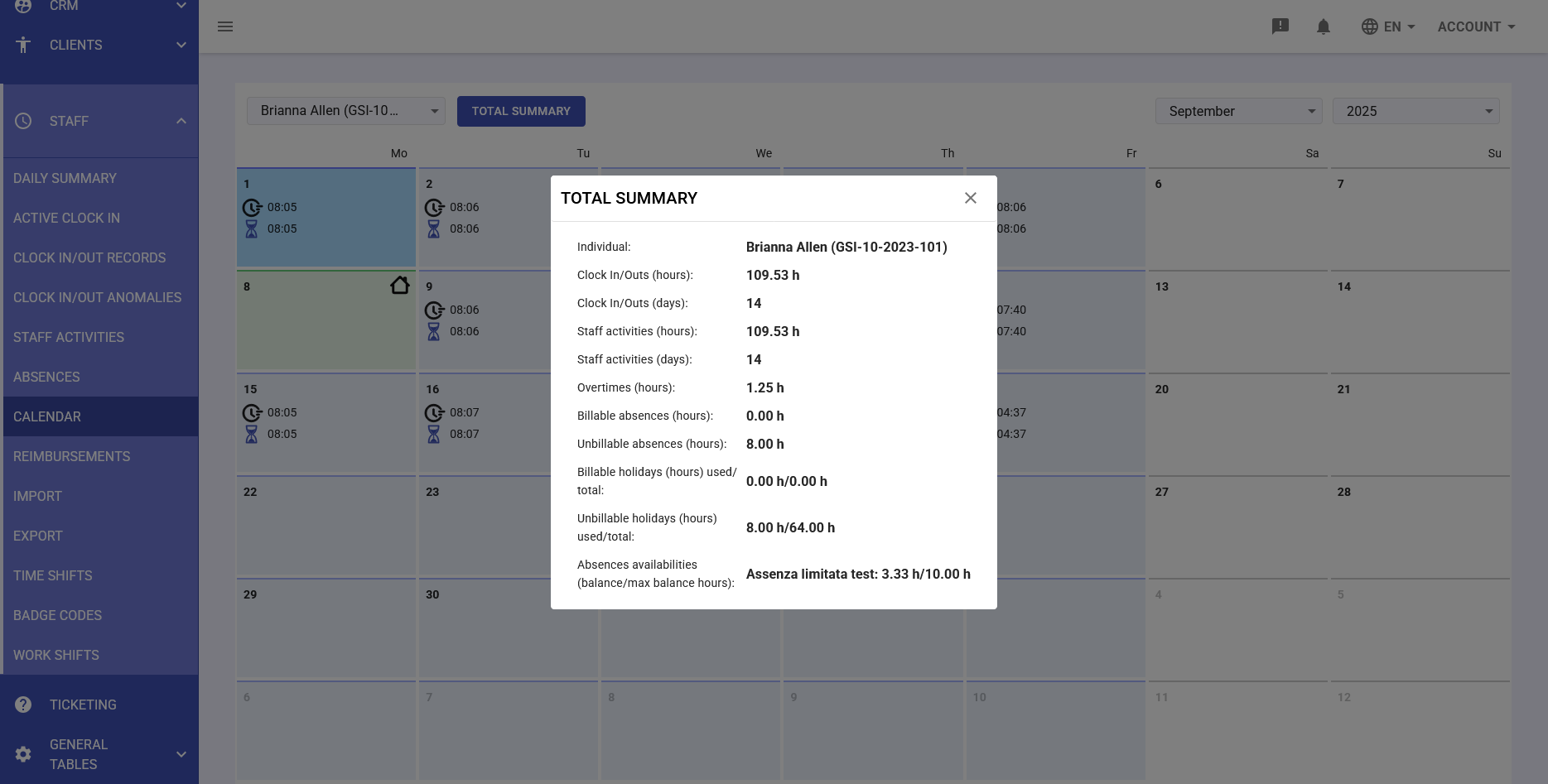
The Calendar section of the Staff module provides a comprehensive graphical representation of each employee's working month. This view allows managers and HR personnel to quickly visualize staff attendance, absences, and activities in an intuitive calendar format.
Key features:
- Monthly view with clock in/out times for each day
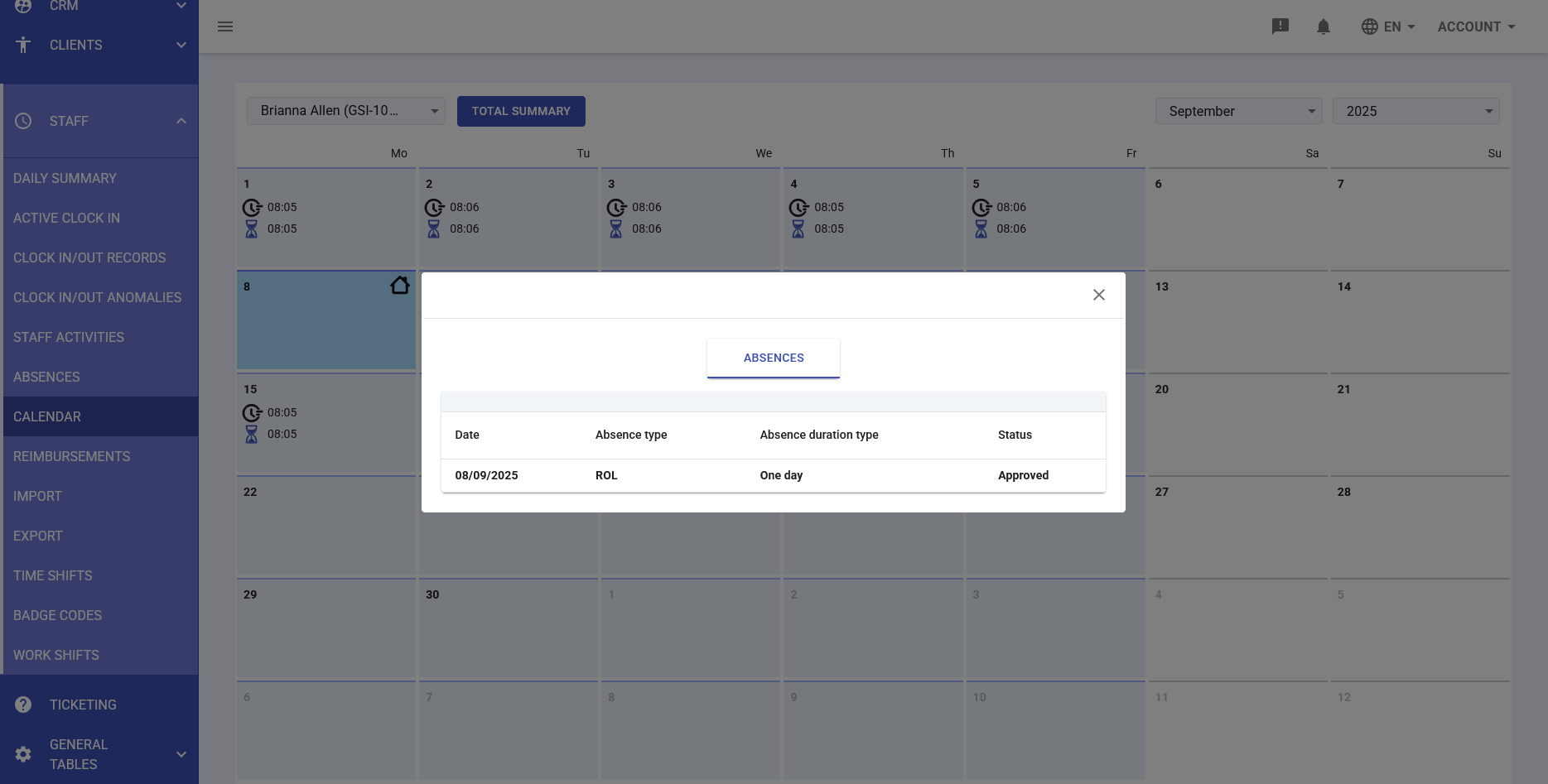
- Visual indicators for holidays, absences, and company closures
- Quick access to daily details via click interaction
- Monthly total summary with complete statistics
Navigation and Interface
Employee and Period Selection
At the top of the calendar:
- Employee selector: Dropdown menu to choose the employee to view (e.g., "Wesley Anderson (GSI-10-2023-083)")
- Month navigation: Selector for month and year (e.g., "May 2025")
- TOTAL SUMMARY button: Quick access to complete monthly summary
Calendar View
The monthly calendar displays for each working day:
- Clock in time: Indicated with clock icon at the top (e.g., 08:02)
- Clock out time: Indicated with person icon at the bottom (e.g., 08:02)
- Special indicators:
- Light green background: National holidays
- Light blue background: Selected day or days with special events
- House icon: Company closure
- Palm tree icon: Employee vacation
- Cloud icon: Absence or leave
-
Clock in/outs and Staff Activities of the day
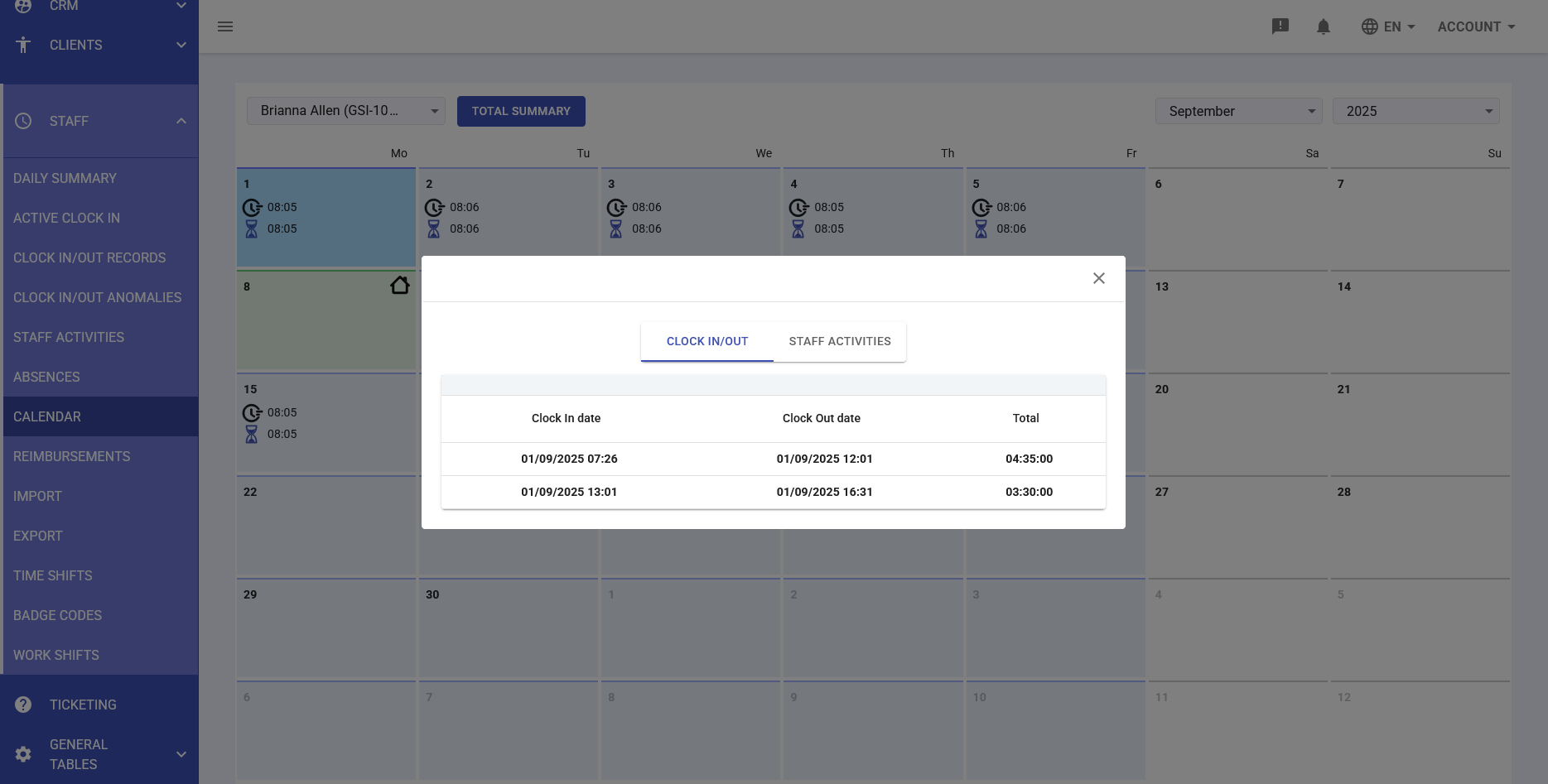
Clicking on a specific day in the calendar opens a modal window with complete day details, organized in tabs:
1. Clock In/Out Records
Shows all time stamps for the day with:
- Clock in date and time: Complete entry timestamp
- Clock out date and time: Complete exit timestamp
- Total: Total duration of the work period
Display example:
- Clock In: 05/05/2025 08:33 - Clock Out: 05/05/2025 12:33 - Total: 04:00:00
- Clock In: 05/05/2025 13:33 - Clock Out: 05/05/2025 17:35 - Total: 04:02:00
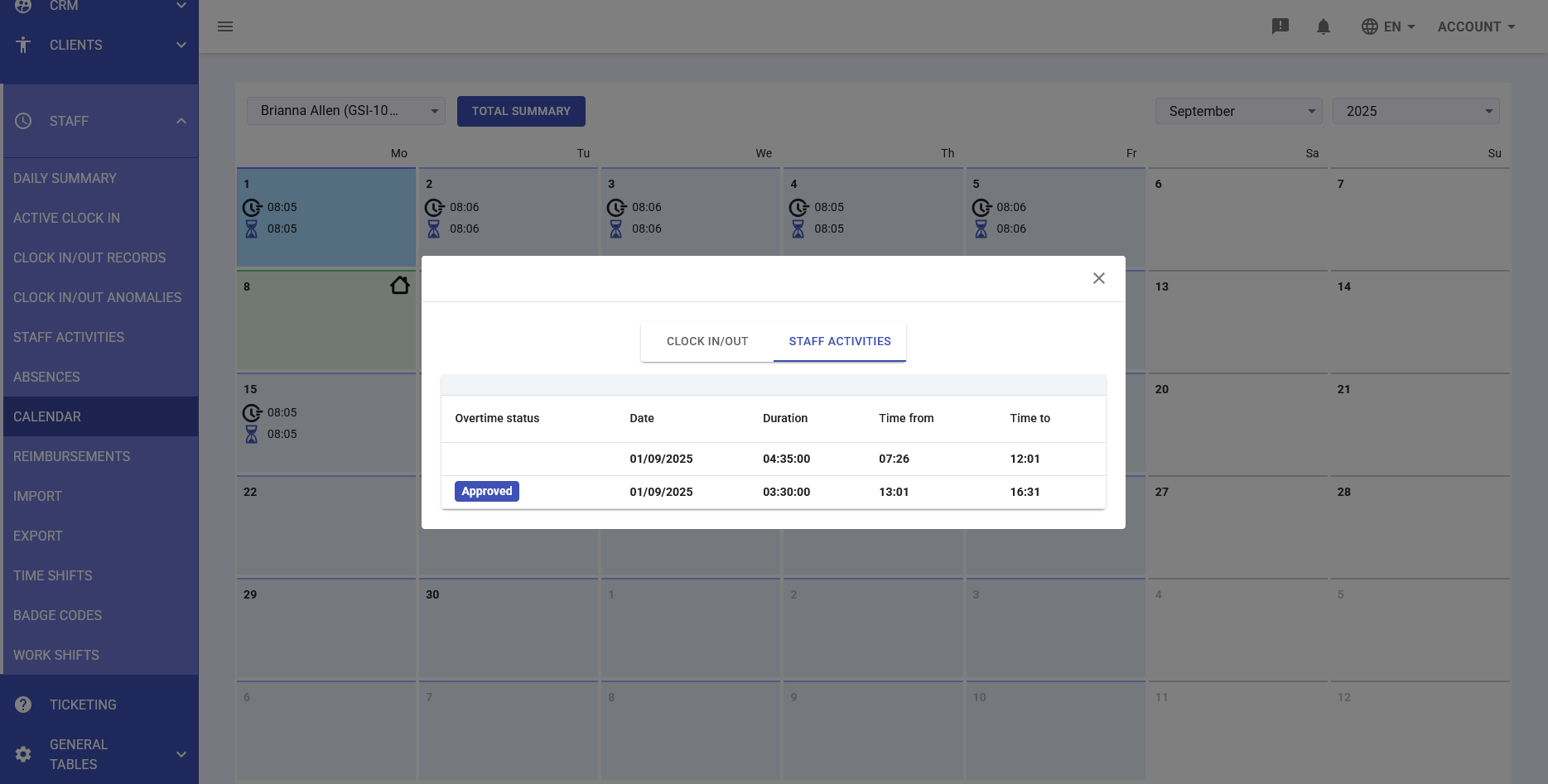
2. Staff Activities
Lists activities performed during the day with:
- Overtime status: Indicates if the activity was performed during overtime
- Date: Activity date
- Duration: Time spent on the activity
- Time from: Activity start time
- Time to: Activity end time
- Status badge: "Approved" for validated activities
-
Total Monthly Summary
Clicking the TOTAL SUMMARY button provides access to a comprehensive view that includes:
Employee Information
- First and last name
- Identification code (GSI)
Monthly Statistics
- Clock In/Outs (hours): Total clocked hours (e.g., 152.47 h)
- Clock In/Outs (days): Days worked (e.g., 19)
- Staff activities (hours): Recorded activity hours
- Staff activities (days): Days with activities
- Overtimes (hours): Overtime work hours (e.g., -65.70 h if negative indicates missing hours)
- Billable absences (hours): Paid absence hours
- Unbillable absences (hours): Unpaid absence hours (e.g., 26.48 h)
- Billable holidays (hours) used/total: Ratio of holidays used
- Unbillable holidays (hours) used/total: Unpaid holidays
- Absences availabilities (balance/max balance hours): Available absence hours balance (e.g., "Limited absence test: 3.33 h/10.00 h")