-
Overview
The Currencies module in GSI2 provides essential financial infrastructure for multi-currency operations across the entire platform. This foundational component enables organizations to operate globally by supporting multiple currencies, managing exchange rates, and ensuring accurate financial calculations throughout all system modules. Every monetary value in GSI2 references the configured default currency, with automatic daily exchange rate updates maintaining accuracy for international transactions.
Core Architecture
Default Currency Framework
The system requires a single default currency to be designated as the primary reference point for all monetary calculations. This default currency serves as the baseline for all financial data storage, reporting, and calculations within GSI2. While the system stores values in the default currency, it can display and convert amounts to any configured currency using current exchange rates, providing flexibility for international operations without compromising data consistency.
Exchange Rate Management
Exchange rates form the backbone of multi-currency operations, enabling real-time conversion between the default currency and all other configured currencies. The system supports both automatic daily updates from external sources and manual rate management, ensuring organizations can maintain accurate currency conversions whether connected to external rate feeds or operating in isolated environments. Each exchange rate represents the value of one unit of the default currency in the foreign currency.
-
Main Currencies Interface
Table Display
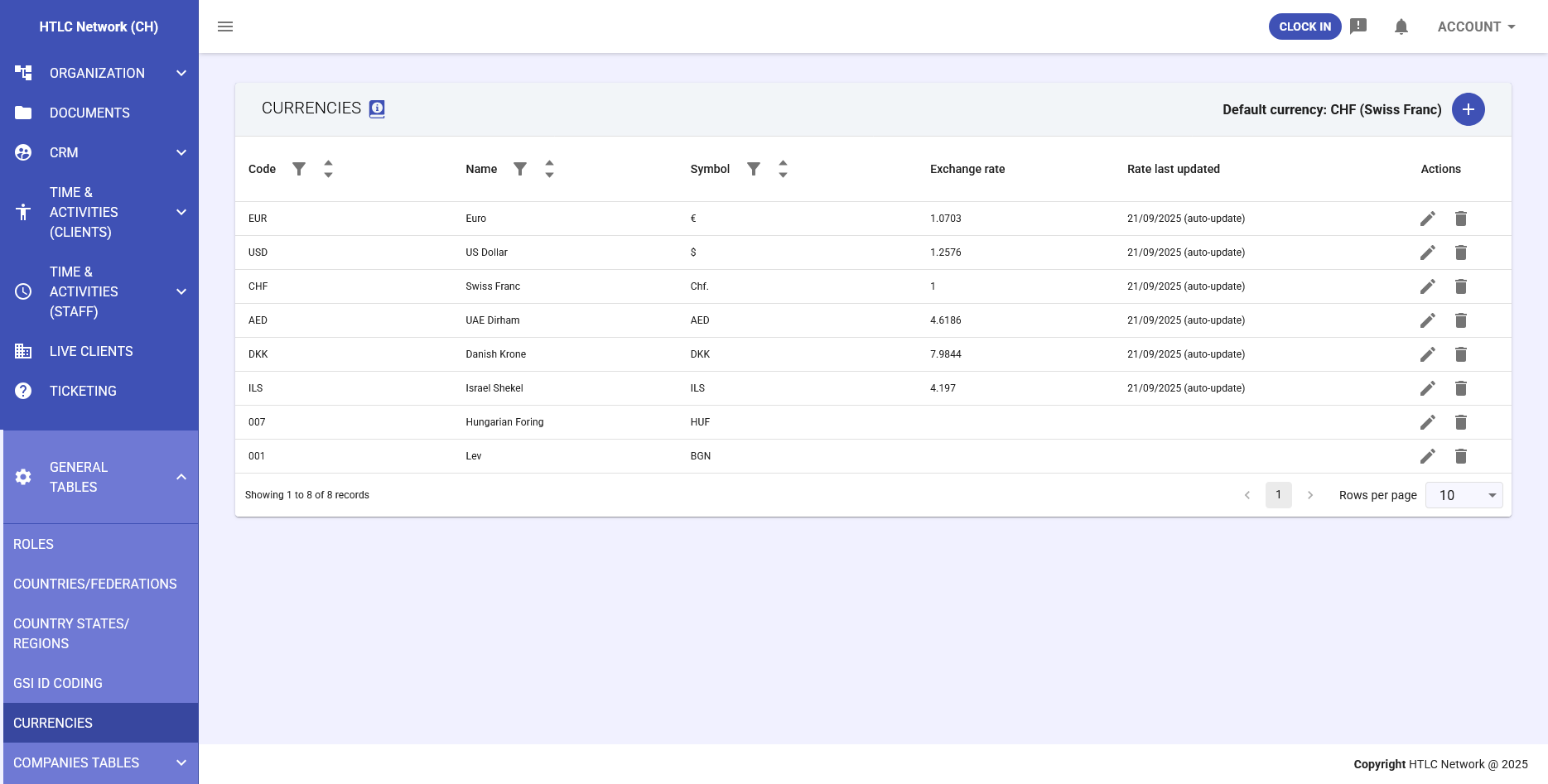
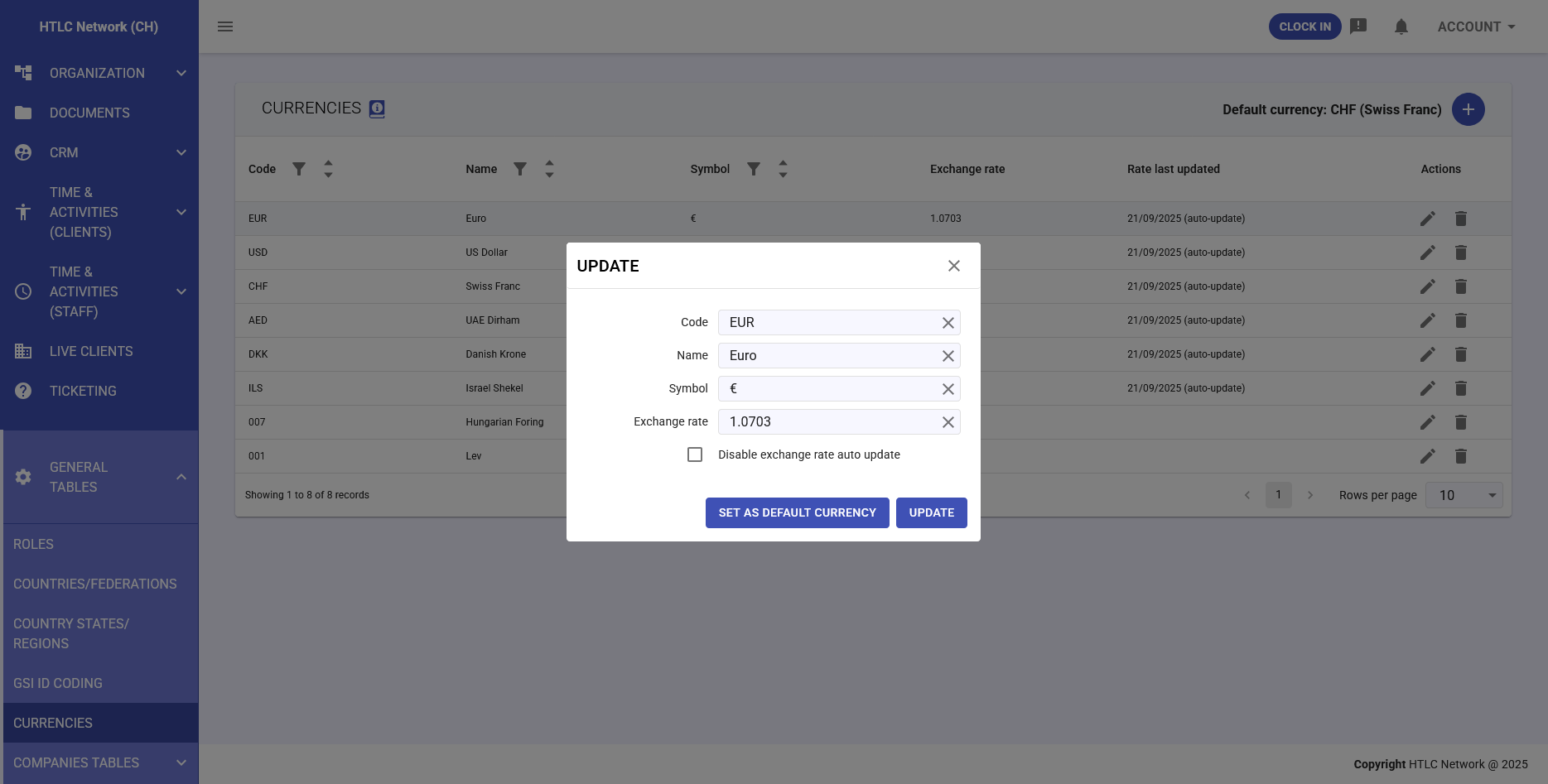
The currencies table provides a comprehensive view of all configured currencies with the following columns:
- Code: ISO 4217 three-letter currency code (e.g., EUR, USD, CHF)
- Name: Full currency name (e.g., Euro, US Dollar, Swiss Franc)
- Symbol: Currency symbol used in display (e.g., €, $, CHf.)
- Exchange Rate: Current conversion rate from default currency
- Rate Last Updated: Timestamp of the most recent rate update with auto-update indicator
- Actions: Management controls for each currency:
- Edit (pencil icon): Modify currency details and exchange rates
- Delete (trash icon): Remove currency from the system
Default Currency Display
The current default currency is prominently displayed at the top right of the interface (e.g., "Default currency: CHF (Swiss Franc)"), providing immediate visibility of the system's base currency setting. The default currency cannot be deleted and serves as the reference point with an exchange rate of 1.
-
Currency Management
Adding New Currencies
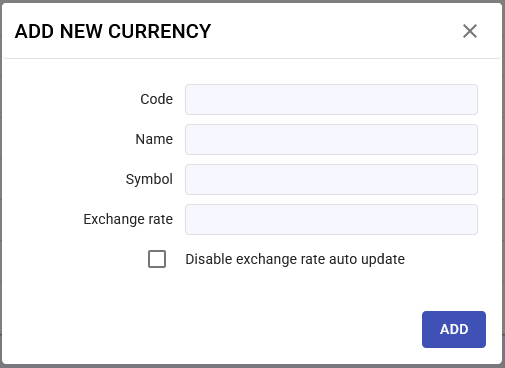
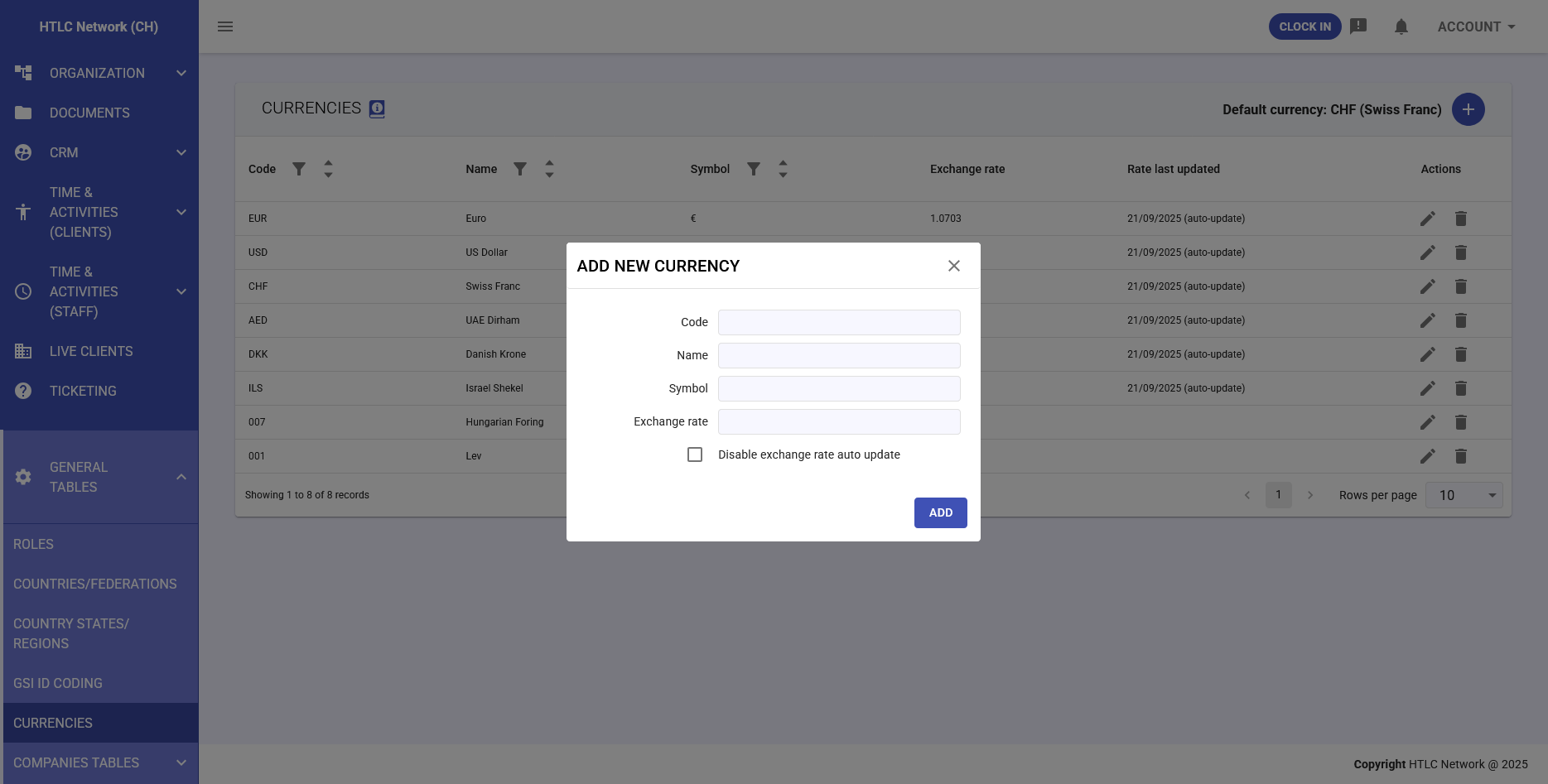
The "+" button opens the currency creation dialog with the following fields:
- Code: Three-letter ISO currency code (required)
- Name: Descriptive currency name (required)
- Symbol: Display symbol for the currency (required)
- Exchange Rate: Initial conversion rate from default currency (required)
- Disable exchange rate auto update: Checkbox to prevent automatic rate updates
Updating Existing Currencies
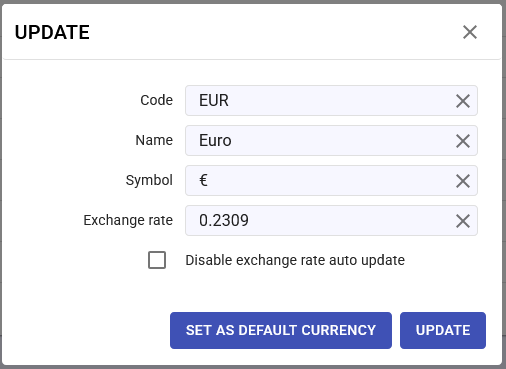
The update dialog provides additional functionality beyond basic editing:
- All standard fields: Code, Name, Symbol, Exchange Rate
- Set as Default Currency: Button to designate this currency as the system default
- Disable exchange rate auto update: Control automatic rate synchronization
- Update button: Save changes to the currency configuration
-
Exchange Rate Mechanisms
Automatic Updates
When enabled, the system performs daily automatic exchange rate updates:
- Daily Synchronization: Rates are updated once per day from configured external sources
- Update Tracking: Each update is timestamped and marked as "(auto-update)"
- Selective Control: Individual currencies can have auto-updates disabled
- Fallback Options: Manual rates remain available if external sources fail
Manual Rate Management
Organizations can maintain full control over exchange rates when needed:
- Direct Entry: Manually input specific exchange rates
- Update Flexibility: Change rates at any time through the edit function
- Audit Trail: System tracks whether rates are manual or auto-updated
- Override Capability: Manual updates override automatic rates when disabled