-
To change your password, log into the system with your current credentials.
After logging in, go to the top right of the dashboard and navigate to the Account section, where you’ll find the option labeled ‘Change Password.’
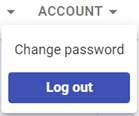
Click on “Change password“, and you will be prompted to enter your current password for verification, followed by the new password you wish to set.
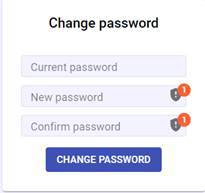
Ensure your new password meets the system’s security requirements (such as length and use of special characters).
After confirming the new password, click “Change Password” to complete the change. A confirmation message will appear once the password has been successfully updated.
If you need to recover your password because you’ve forgotten it, please refer to our dedicated article.