-
Accessing the National Holidays Section
To access the National Holidays management section, go to GENERAL → NATIONAL HOLIDAYS.
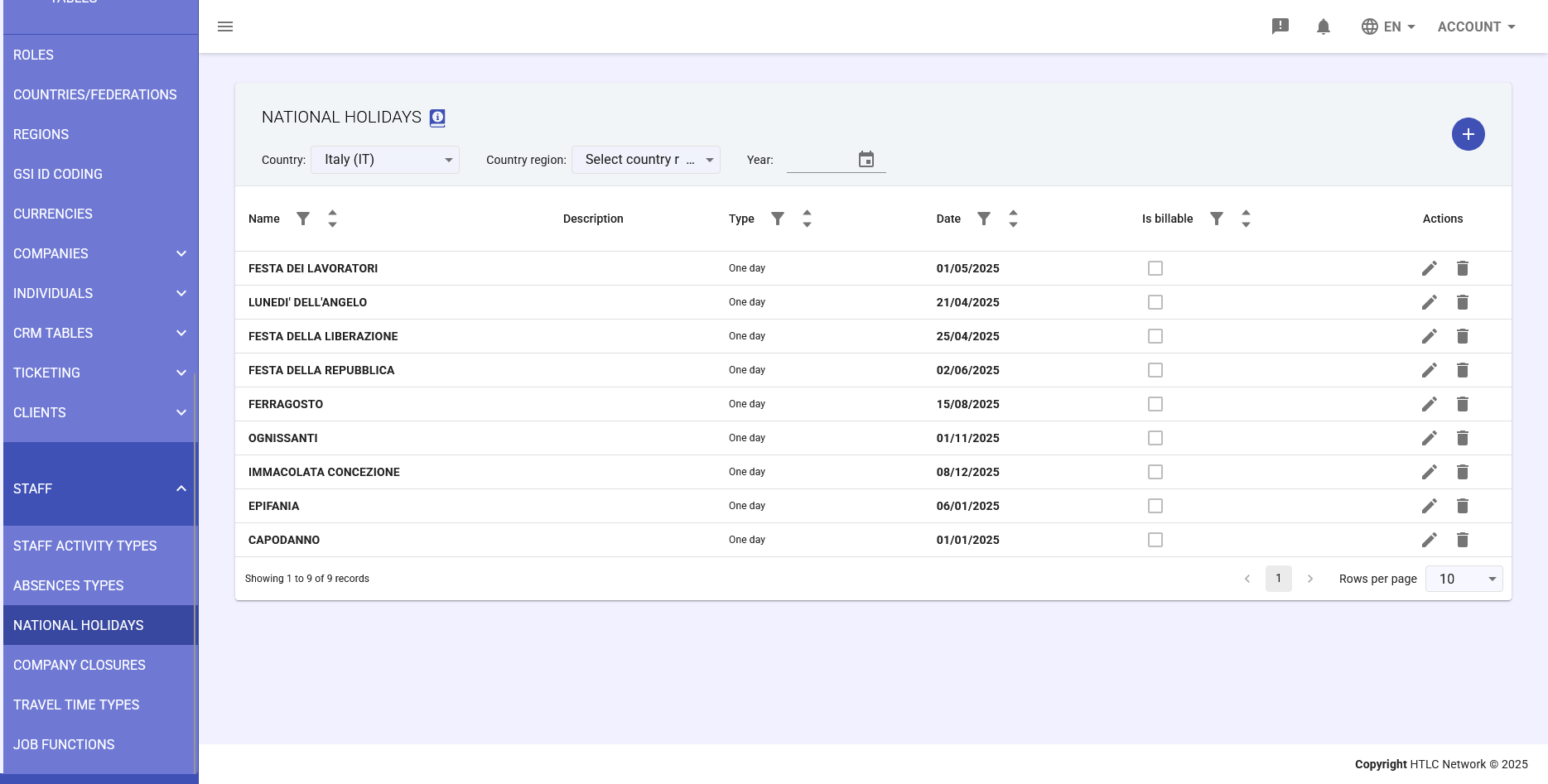
Understanding the Main Interface
When you open the section, a table displays all configured holidays.
Filter Controls
- Country dropdown
- Region dropdown
- Year selector
The Holidays Table
- Name
- Description
- Type
- Date
- Is billable
- Actions
Adding a New Holiday
Steps: open dialog, fill in name, code, description, select type, set dates, configure location, options, save.
Editing or Deleting a Holiday
Use pencil or trash icons in the Actions column.
Important Notes
- Always verify absence codes
- Regional holidays apply only to employees in that region
- The system automatically creates absence records