-
The Company Closures module in GSI2 manages company-specific closure periods, such as plant shutdowns, office closures, or company-wide holidays. This feature automatically generates absence records for affected employees, ensuring accurate attendance tracking without triggering absence anomalies during planned closure periods.
Main Function: Automatically create justified absences for employees during company-specific closure periods, preventing the system from generating absence anomalies when employees cannot clock in due to facility closures.
Data Flow:
Closure Configuration → Company/Worksite Assignment → Automatic Absence Generation → No Anomaly DetectionKey Concept: Company closures are applied at either the company level (affecting all employees) or at specific company address levels (affecting only employees at particular worksites), providing flexible management of localized or company-wide shutdowns.
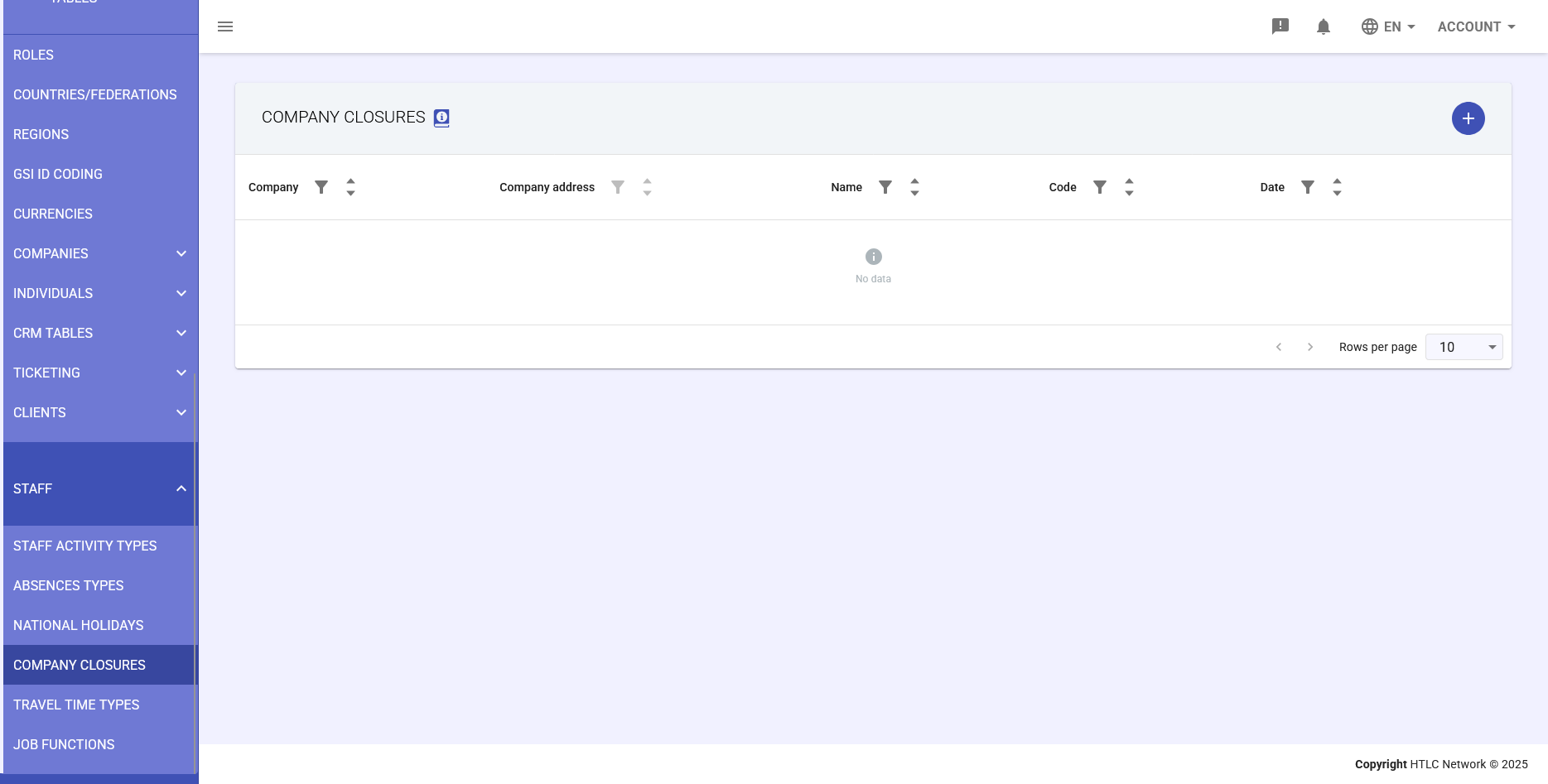
Main Table
The table displays all configured company closures with the following columns:
Column Structure:
- Company: Name of the affected company
- Company address: Specific worksite location (if applicable)
- Name: Descriptive name of the closure
- Code: Absence code to be applied
- Date: Closure date(s) (DD/MM/YYYY format)
Table Navigation:
- Filter controls: Sort and filter by company, address, or date
- Pagination: Navigate through multiple pages of closures
- Rows per page: Adjust display density (default: 10 rows)
Closure Configuration
Creating a New Closure
Click the plus (+) button to open the "ADD NEW COMPANY CLOSURE" modal with these fields:
Required Fields:
- Name: Descriptive identifier for the closure period
- Code: Absence code to be automatically applied
- Company: Select the affected company from dropdown
Optional Fields:
- Description: Additional details about the closure reason or nature
- Company address: Specific worksite for location-specific closures
Type Configuration:
- One day: Single day closure with date picker field
- Multiple days: Extended closure period with "Date from" and "Date to" fields
Additional Options:
- Is billable: Determines if closure time can be billed to clients
- Is considered working time for week based calculations: Includes closure hours in weekly working time calculations
Matching Logic
How Closures Apply to Employees:
- Company-Level Matching: If no specific address is selected, the closure applies to all employees of the selected company
- Address-Level Matching: If a company address is specified, only employees assigned to that specific worksite are affected
- Automatic Absence Generation: On closure dates, the system automatically creates absence records with the specified code
- Anomaly Prevention: No clock-in anomalies are generated for affected employees during closures
Common Use Cases
Company-Wide Closures:
- Annual shutdown: Manufacturing plants closing for maintenance
- Company holidays: Additional days off beyond national holidays
- Emergency closures: Unexpected facility closures
- Seasonal closures: Business-specific closure periods
Location-Specific Closures:
- Branch renovations: Temporary closure of specific offices
- Regional events: Local facility closures for community events
- Site maintenance: Scheduled maintenance at specific locations
- Weather-related: Closures affecting only certain geographic areas
Configuration Examples
Example 1: Summer Plant Shutdown
- Name: Summer Maintenance Shutdown 2025
- Type: Multiple days
- Date from: 10/08/2025
- Date to: 24/08/2025
- Company: Manufacturing Corp
- Is billable: Unchecked (non-billable time)
Example 2: Office-Specific Closure
- Name: Milan Office Renovation
- Type: One day
- Date: 15/03/2025
- Company: Tech Solutions Inc
- Company address: Milan - Via Roma 123
- Is considered working time: Checked (paid leave)
Best Practices
Planning Workflow:
- Annual Planning: Schedule known closures at the beginning of the fiscal year
- Communication: Configure closures well in advance to allow proper employee notification
- Code Consistency: Use standardized absence codes for similar closure types
- Documentation: Include detailed descriptions for audit and reference purposes
Management Tips:
- Review closure schedules with HR and operations teams regularly
- Verify address assignments match actual employee worksites
- Coordinate absence codes with payroll processing requirements
- Consider client contracts when setting billability options
- Use the description field to note approval references or special conditions