-
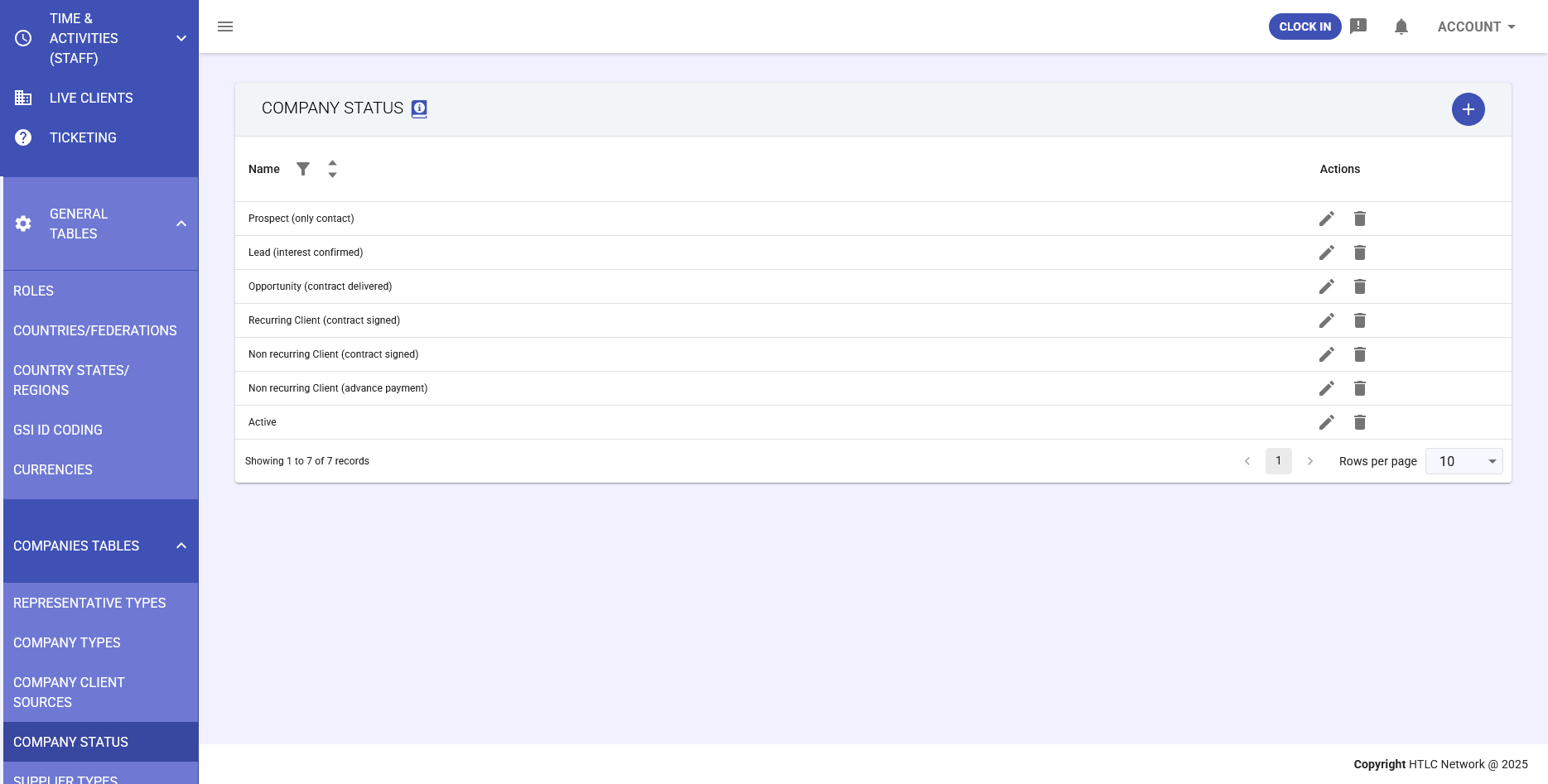
The Company Status table defines classifications used to track the lifecycle and status of business relationships with companies. This general table provides a customizable categorization system that allows users to monitor companies through various phases of the business process, from initial contact to active customer management or relationship termination.
Values in this table do not have a direct operational function in the software, but serve as an informational tool to organize and classify companies according to the organization's specific needs. Users can create and customize statuses to reflect their own sales and customer management processes.
Examples of Typical Statuses
Commonly used statuses may include classifications such as:
- Lead/Prospect: Initial contacts or potential customers at various stages of interest
- Active Client: Companies with signed contracts or active business relationships
- In Test: Companies in evaluation or pilot phase
- Ex Client: Companies where the business relationship has ended for various reasons
System Usage
The Company Status table primarily integrates with:
- Companies Module: Where each company can be assigned to a specific status
- CRM: For monitoring the sales pipeline and sales processes
- Reporting: To generate analyses and reports based on status distribution
Table Management
Administrators can access the table through:
General Tables → Companies Tables → Company StatusAvailable actions include:
- Add new statuses via the "+" button
- Edit existing statuses with the pencil icon
- Delete unused statuses with the trash icon
- View and navigate the list with pagination and filters